Recover LaTeX when only the PDF remains
A finished PDF can help rebuild a working draft when the original project is missing. Start with a source search, then reconstruct the parts that cannot be recovered.
No credit card needed. For longer PDFs, the first 3 pages are converted so you can check the quality first.
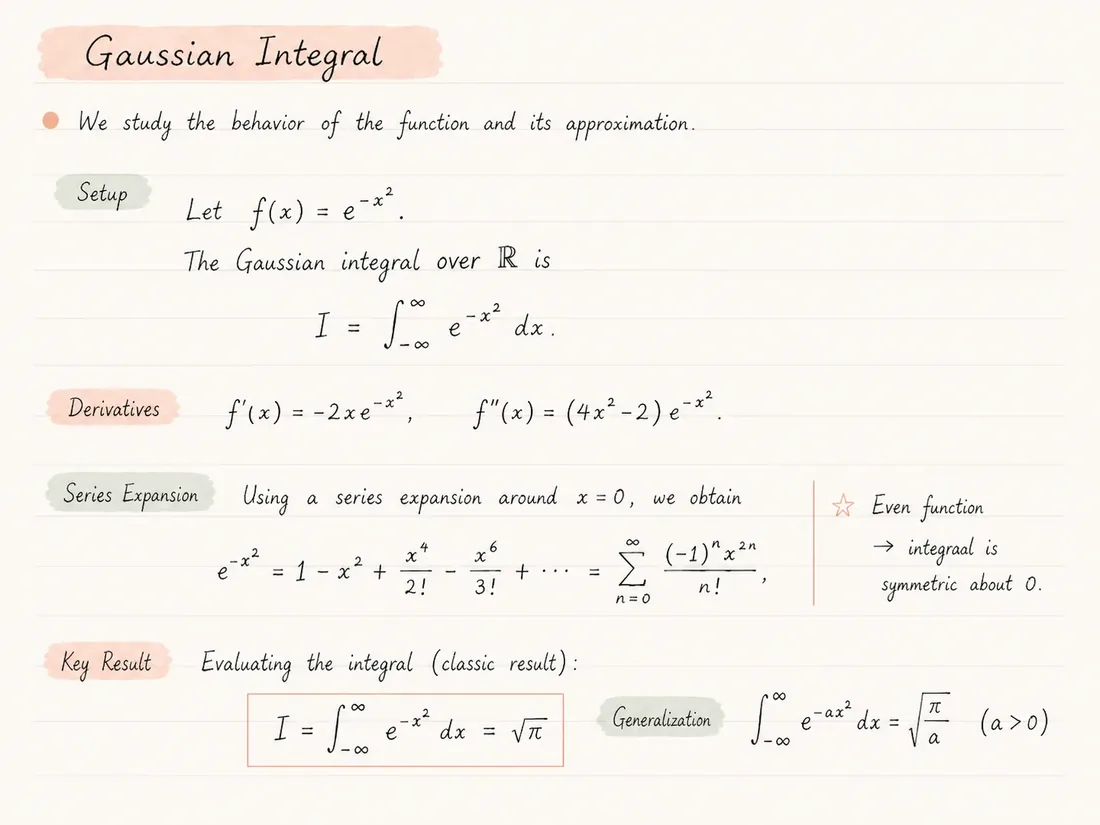
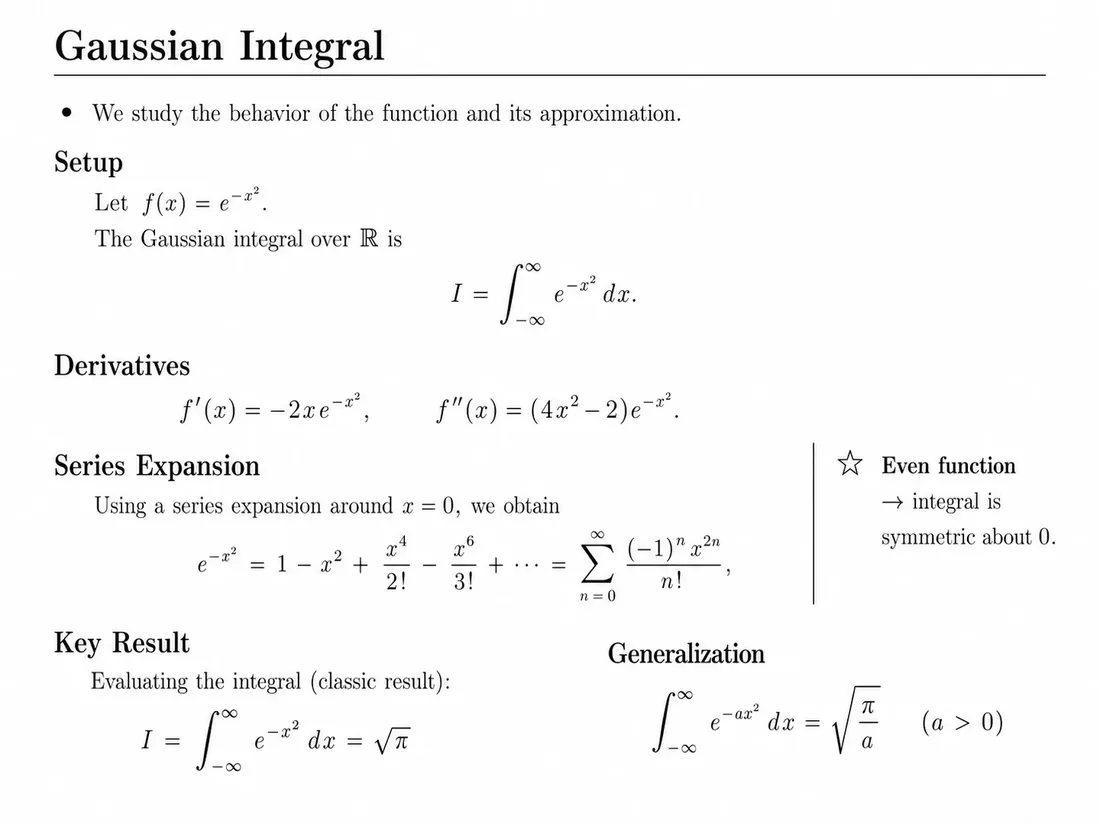
What to keep from a partial project
Individual source files can remain useful even when the main document is missing. Inspect them before reconnecting them.
Bibliography
Keep your .bib file and check that entries match the visible citations. Matching an author name alone does not establish that a citation points to the right work.
Figures
Prefer original figure files when available. Compare labels, units and captions before replacing an extracted image with a source graphic.
Classes and style files
Preserve custom .cls and .sty files as reference material. Test them in a copy because their package requirements may differ from the reconstructed project.
Choose recovery before reconstruction
A laptop replacement, an expired shared folder or an old email attachment can leave you with a final paper but no editable project. Search archives, version-control history, backups and coauthor copies for .tex, .bib, .cls and image files first.
The original project preserves information that a PDF may not contain: macro definitions, citation keys, comments and source organization. Finding even part of that project can reduce the cleanup needed after reconstruction.
If the PDF is all that remains, document-to-latex aims to rebuild visible content as editable source. Treat the result as a new working draft, with the PDF as the reference for your review.
From missing source to a reviewed draft
- 01
Search backups and coauthor archives for the original source.
- 02
Keep an unchanged PDF and check upload limits on the pricing page.
- 03
Convert the PDF and compare the compiled output with the original.
- 04
Reconnect recovered bibliography and image files, checking affected references.
- 05
Export the project ZIP and keep a versioned copy before making further edits.
What reconstruction helps restore
- Editable sections that can be revised after a project is lost.
- A starting point for equations and tables instead of retyping the entire document.
- A compiled preview for checking what the new source produces.
- An export intended for Overleaf or local LaTeX editing.
A PDF is not a source-code backup
- Original comments, macro names and file boundaries cannot be inferred reliably from rendered pages.
- Visible citations do not supply the original bibliography database or keys.
- A visually similar result can still contain transcription errors.
- Review before submitting, especially equations, numerical results and references.
Common questions
Can I recover the exact original .tex file?
Not reliably from a PDF alone. Reconstruction creates new source for visible content; an original project archive is the better route to the exact files.
Should I convert if a coauthor has the project?
Ask for the project archive first. It may preserve the bibliography, figures and macros that reconstruction would need to rebuild or replace.
Will my BibTeX keys return?
Do not assume so. Recover the .bib file separately when possible, then check the mapping between citations and entries.
Can I edit the draft in Overleaf?
The exported ZIP is intended for Overleaf import. Check the main file, compiler and first compile log before editing.
What should I check before using the draft?
Compare section order, equations, table values, captions and references. A successful compile does not establish content accuracy.
Keep exploring
Continue with nearby converter pages, pricing, or the product overview.
Convert, compare, then edit
Upload a PDF, inspect the generated LaTeX render beside the original, and review before submitting or sharing the result.