Convert handwritten notes and math to LaTeX
Write by hand, typeset in LaTeX. Upload a photo or a scanned PDF of your notes, derivations or exercise solutions and get an editable LaTeX document, compiled and placed next to your handwriting for review.
No credit card needed. For longer PDFs, the first 3 pages are converted so you can check the quality first.
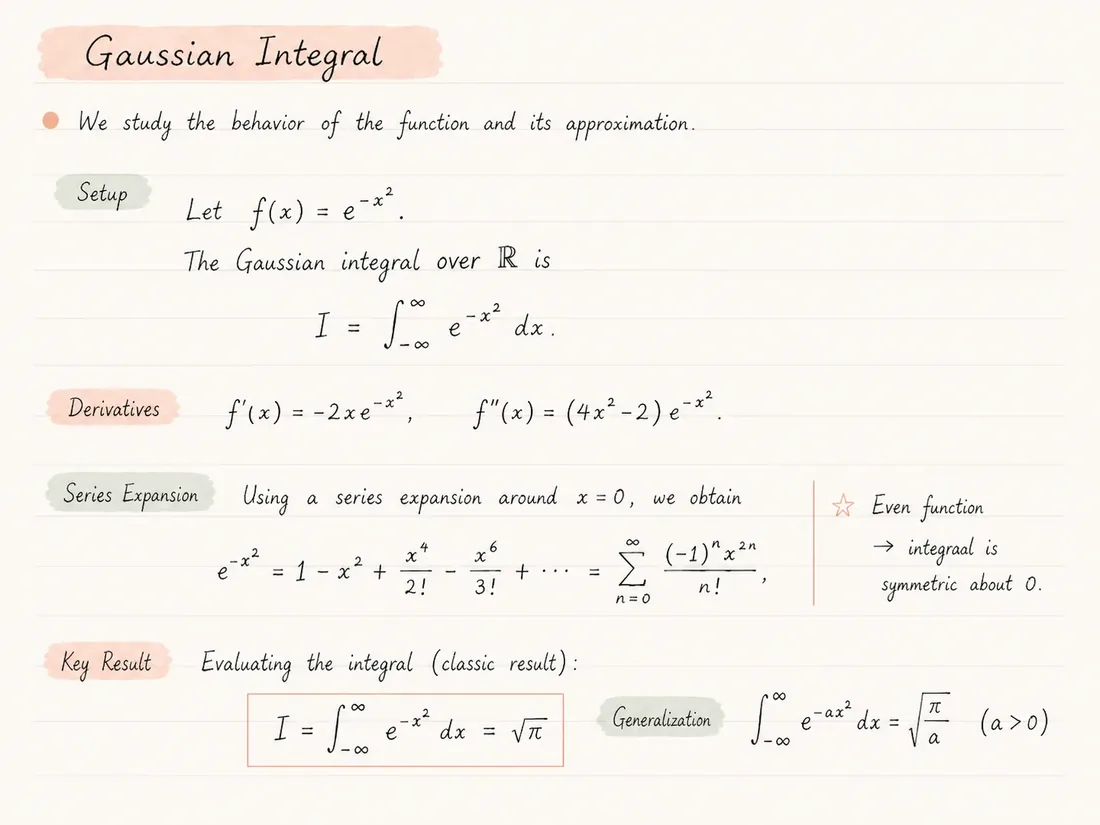
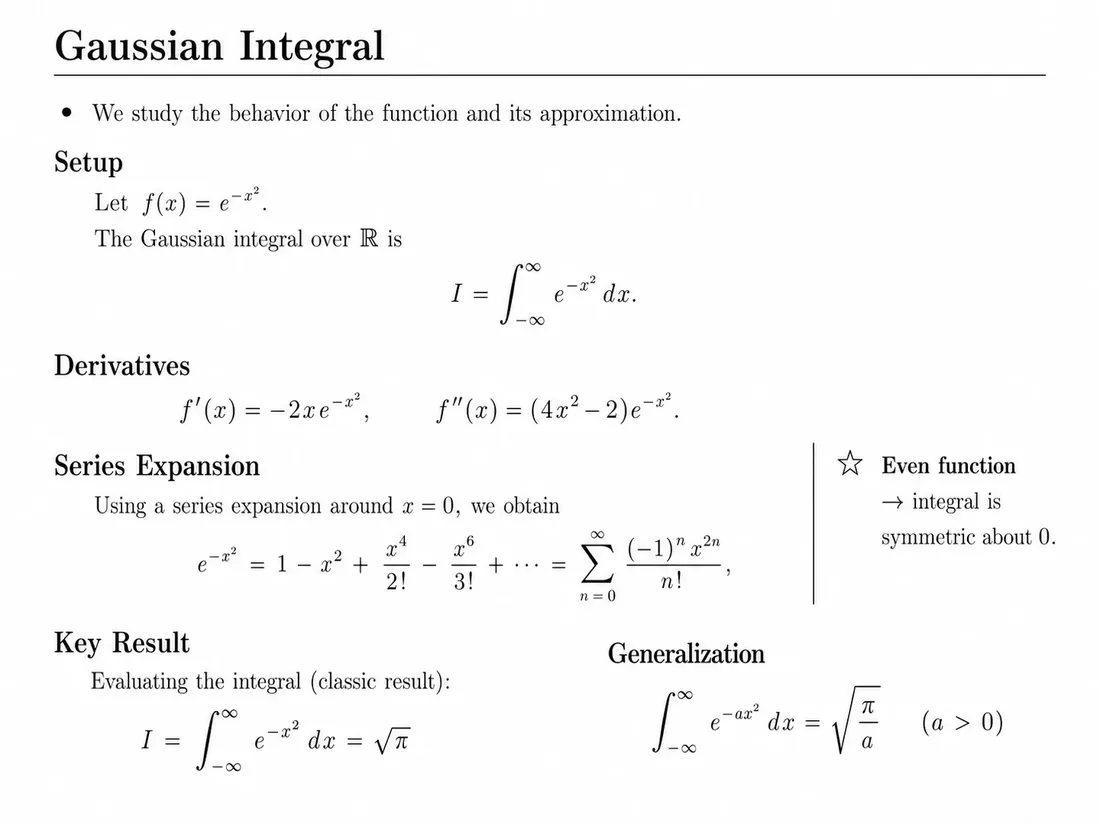
Handwriting that converts cleanly
You do not need perfect handwriting, but some habits make conversion much more reliable, especially for math.
Leave space around fractions and exponents
Cramped superscripts and fraction bars that touch the line above are the most common source of misread formulas.
Distinguish look-alike symbols
Cross your z and 7, add a tail to the t, and write x as two curves if it is easily confused with ×. Small habits help both the converter and human readers.
Use dark ink on plain paper
Pencil and light blue ink lose contrast in photos. Squared or lined paper works, but faint grid lines are easier to separate from the writing than strong ones.
One topic per page
Notes that wander around the page in several directions are hard to put into a linear document. Rotated side notes are often skipped.
Who converts handwriting to LaTeX
Students who work through problem sets on paper but have to hand in typeset solutions. Typing a page of derivations in LaTeX can take longer than solving the problems.
Researchers and lecturers who sketch proofs, lecture notes or exam questions by hand and later need them as clean, shareable documents.
Anyone digitising old notebooks: lecture notes from previous semesters, lab notebooks or annotated exercise sheets that should become searchable and editable.
From paper to LaTeX in five steps
- 01
Scan the pages with a phone scanner app (as a PDF) or take one photo per page (PNG or JPG).
- 02
Upload the file. Multi-page notes work best as a single PDF so the order is kept.
- 03
The converter reads text, formulas and structure and builds a LaTeX project.
- 04
Compare each compiled page with your handwriting and correct misread symbols.
- 05
Export the ZIP or open it directly in Overleaf to keep editing.
What carries over from your handwriting
- Inline and display formulas as real LaTeX math, including fractions, integrals, sums and matrices.
- Headings, numbered steps and lists as document structure instead of loose text.
- Aligned multi-line derivations where the original lines up equals signs.
- A compiled preview, so you see immediately whether the result reads like your notes.
- A project you can extend: add your own preamble, macros or a university template.
What handwriting conversion cannot guess
- Very small, slanted or overlapping handwriting is harder to read. If a human would struggle, expect corrections.
- Crossed-out parts, arrows and notes in the margin may be dropped or placed differently than you intended.
- Sketches, graphs and diagrams are not redrawn; plan to recreate important figures yourself.
- Your personal abbreviations and notation are transcribed as written, not expanded. Review before submitting.
Common questions
Can it read my handwriting?
Neat to average handwriting usually converts well, including math notation. Very small or messy writing needs more corrections. The free pages are the easiest way to test your own handwriting.
Should I upload photos or a PDF?
For a single page, a photo (PNG/JPG) is fine. For several pages, scan them into one PDF with a phone scanner app so they stay in order.
Does it handle long derivations?
Yes. Multi-line derivations are rebuilt as math environments. Check that equals signs and line breaks match what you meant.
Will my drawings be converted?
No. Diagrams and sketches are not redrawn as TikZ. Recreate important figures or insert a cleaned-up image yourself.
Can I use the output for homework submissions?
The output is an editable LaTeX document. Review it carefully before submitting, since you are responsible for the final content.
Keep exploring
Continue with nearby converter pages, pricing, or the product overview.
Convert, compare, then edit
Upload a PDF, inspect the generated LaTeX render beside the original, and review before submitting or sharing the result.