Turn lecture notes PDFs into editable LaTeX
Rebuild a course script so you can annotate definitions, expand derivations and maintain a consistent set of study notes.
No credit card needed. For longer PDFs, the first 3 pages are converted so you can check the quality first.
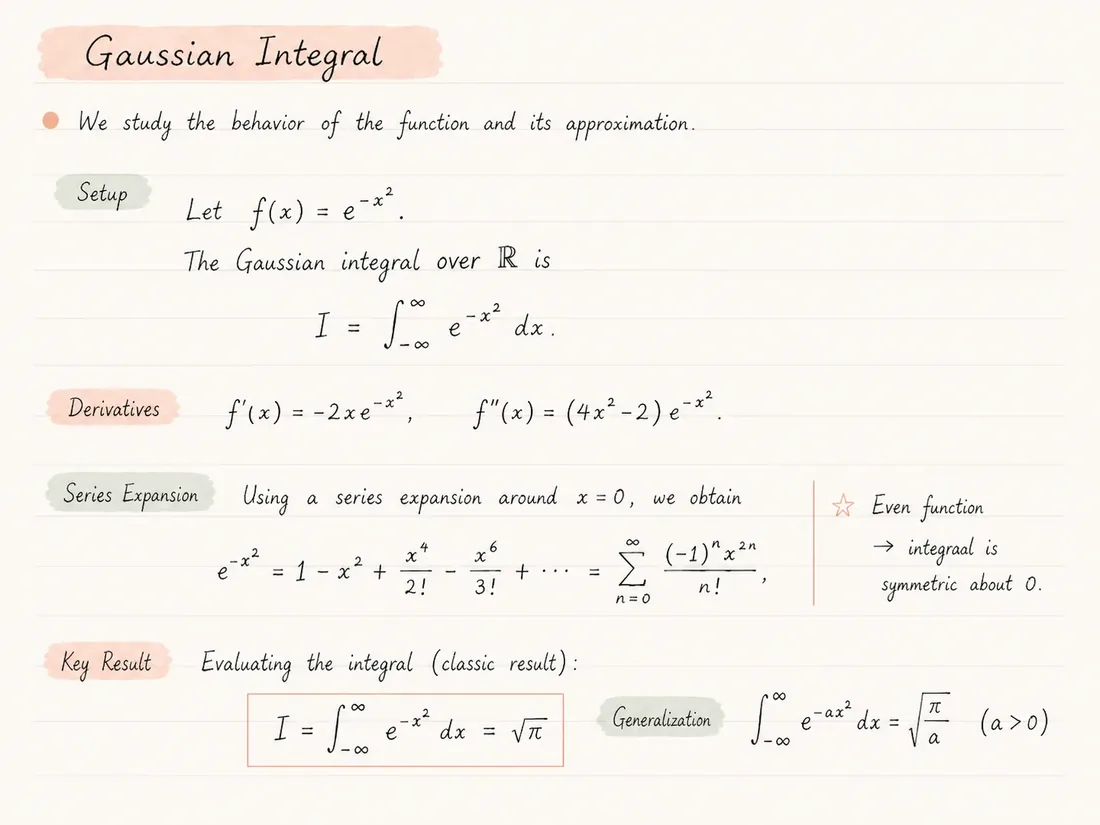
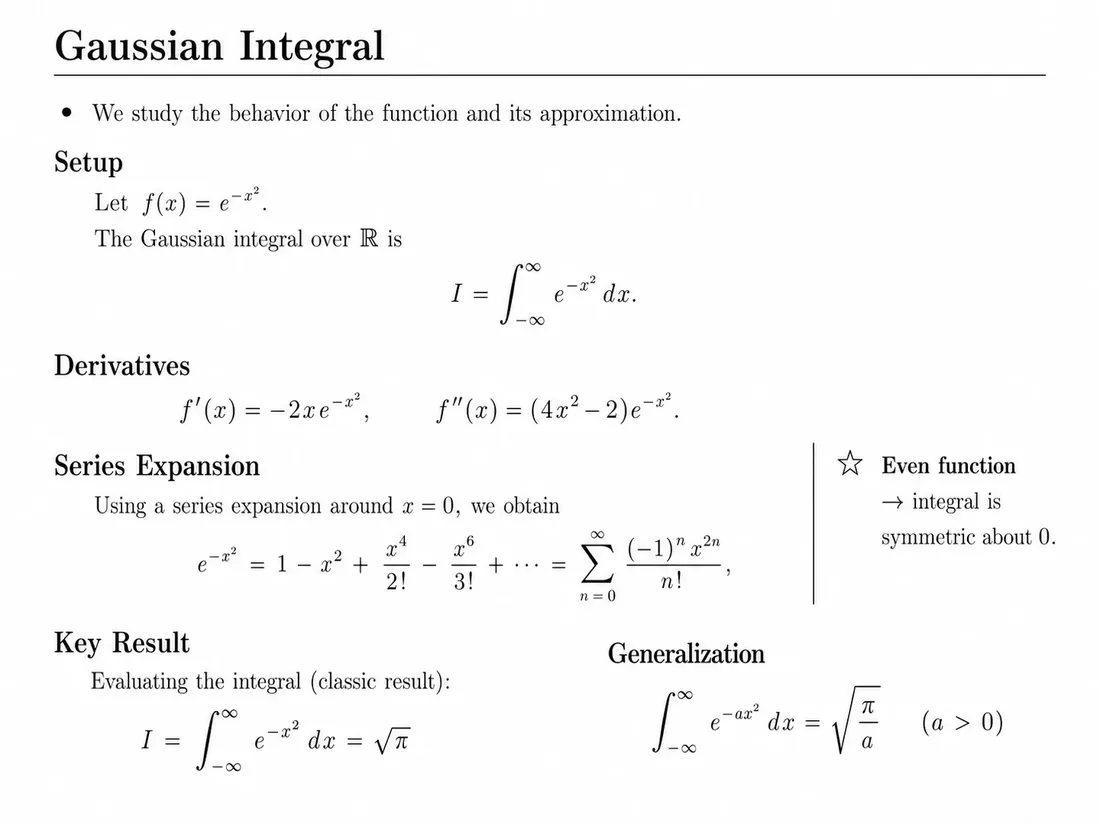
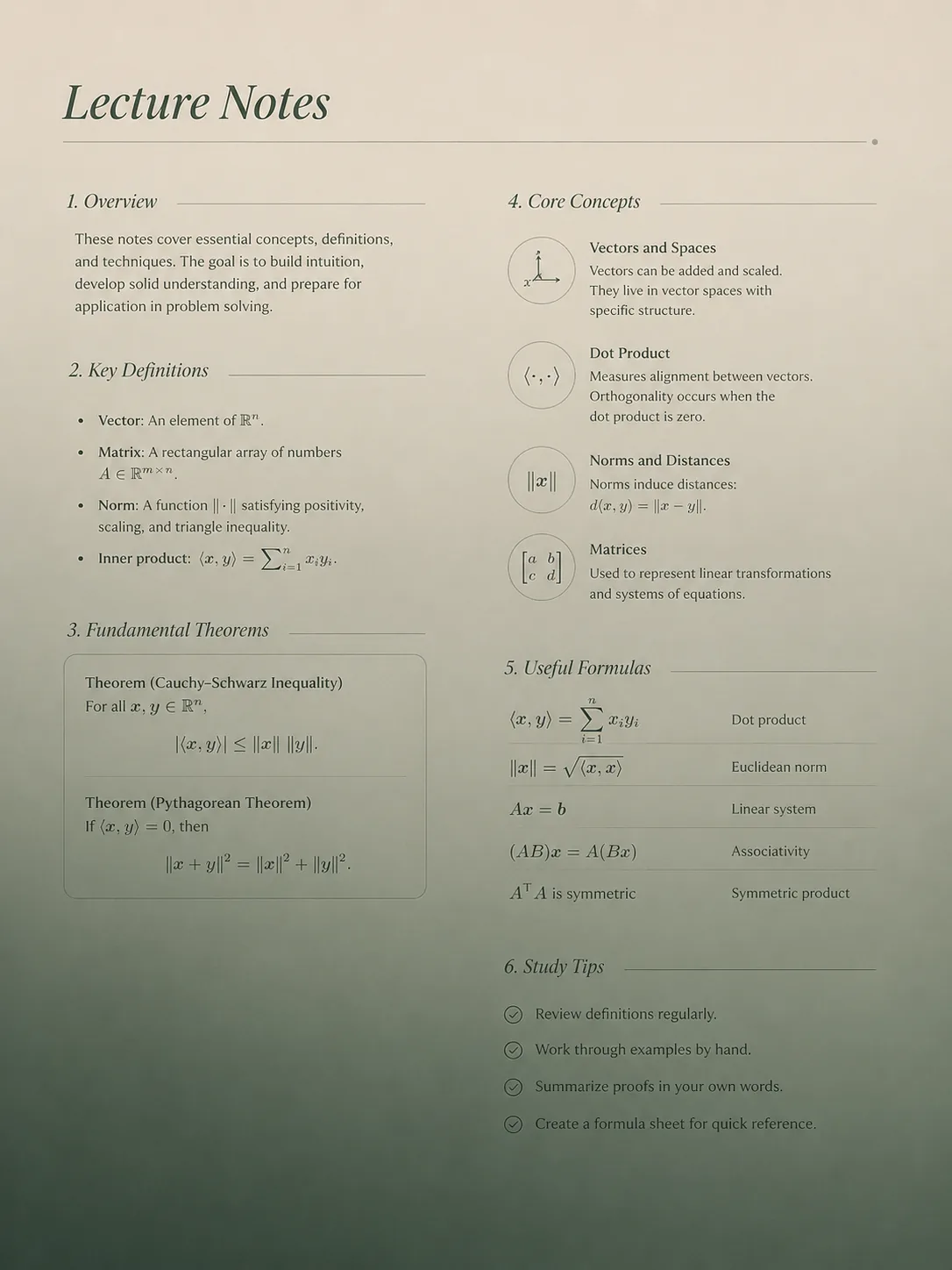
A derivation can compile and still be wrong
Review mathematical meaning as well as appearance. These checks address different reconstruction risks.
Conditions
If an integral assumes x > 0, confirm that the inequality and its location survive. A missing condition can change a claim even when displayed equations look plausible.
Notation
Distinguish a subscript from multiplication, a prime from a superscript and a vector from a scalar. Compare notation with the definition where the quantity first appears.
Sequence
Check that explanatory sentences appear between the correct derivation steps. Two-column pages and side notes can disrupt reading order.
Preserve the logic between the equations
Lecture notes mix short explanations, theorem statements and several lines of working. Copying only formulas can lose the assumptions that make a derivation meaningful.
Reconstruction aims to keep surrounding text and structure editable. Use the original script to check that a condition, definition or exception has not moved away from the result it qualifies.
When combining lectures, review symbols and numbering before merging source. Different handouts can use the same letter for different quantities or restart equation numbers each week.
Build a maintainable course script
- 01
Choose a readable lecture PDF and check its length against plan limits.
- 02
Convert and compare text, formulas and reading order page by page.
- 03
Check definitions, assumptions and each line of important derivations.
- 04
Standardize notation and labels in a copy before combining lectures.
- 05
Export to Overleaf or a local editor and add your annotations.
Useful for ongoing study and teaching
- Editable definitions beside their formulas.
- Source that can be organized into a topic-based study document.
- Page comparison to help locate omitted conditions and notation changes.
- A project archive you can maintain throughout a course.
Check the mathematical context
- Blackboard photographs and handwritten margins may need substantial transcription work.
- The converter does not verify proofs or fill in missing derivation steps.
- Diagrams may remain images rather than editable drawing code.
- Check permission before distributing reconstructed course materials.
Common questions
Can I convert a whole course script?
Check current page and file limits first. Separate lecture files may need manual merging and renumbering after conversion.
Will it explain the mathematics?
Conversion reconstructs the document rather than teaching or validating its mathematics. Add explanations after checking the transcription.
What about handwritten annotations?
Clear handwriting can be attempted, but ambiguous symbols and marginal notes need careful comparison with the original.
Can I combine converted lectures?
Yes, by editing the exported source. Resolve duplicate labels, inconsistent notation and conflicting preambles before compiling the combined document.
Are diagrams editable?
Do not expect recovered TikZ source. Figures depend on extraction settings and may require original images or manual replacement.
Keep exploring
Continue with nearby converter pages, pricing, or the product overview.
Convert, compare, then edit
Upload a PDF, inspect the generated LaTeX render beside the original, and review before submitting or sharing the result.